Emoji Kitchen lets you combine two emojis into one brand new sticker, right in your browser. Some people call it an emoji mixer, others call it an emoji combiner or emoji maker, and it works on any device without installing anything. Pick two emojis in the tool below to combine emojis into your own custom mashup, browse trending combos by mood, or scroll down for the full breakdown on how the feature works.
Try the Emoji Kitchen Tool
Tap any emoji, then tap a second one. Your combo appears instantly, ready to copy or download.
Emoji Kitchen Combo Maker
Also called an emoji mixer, emoji combiner, emoji fusion, or simply emoji cooking, this free emoji maker lets you combine two emojis into one sticker. Tap two emojis below to combine emojis into your own mashup, or browse the best emoji kitchen combos and funny emoji kitchen combo ideas underneath.
Trending Emoji Kitchen Combos
What Is Emoji Kitchen
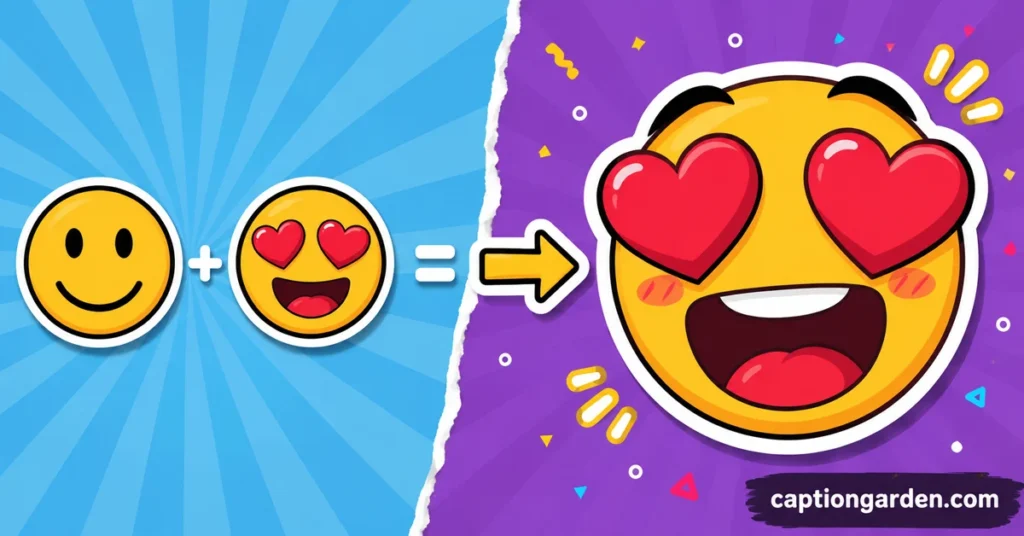
Emoji Kitchen is a feature built into Gboard, Google’s keyboard app, that lets you combine two emojis to create one new hand-drawn sticker. Instead of sending two separate emojis, you get a single mashup that often expresses a feeling much better than either emoji alone.
For example, combining a laughing face with a heart-eyes face creates a sticker with tears of joy and hearts for eyes. Google’s own artists designed these mashups by hand, so nothing here is random or AI-generated. Each combination comes from a growing library, and Google has confirmed more than 100,000 possible pairings are now available.
Some people search for this feature under different names, including emoji mixer, emoji combiner, emoji fusion, and even emoji cooking, since the interface literally shows two emojis being “cooked” together into one emoji mashup.
How Emoji Kitchen Started
Google launched Emoji Kitchen in early 2020 as a small addition to Gboard on Android. The idea was simple. A single emoji can only say so much, so mixing two of them together opens up thousands of new expressions.
The feature grew fast because of how shareable the stickers are. In September 2023, Google expanded it further by adding Emoji Kitchen directly to Google Search, so now you do not need Gboard installed to try it. You can search for it on any device, including an iPhone or a desktop browser.
How to Use Emoji Kitchen on Android and iPhone
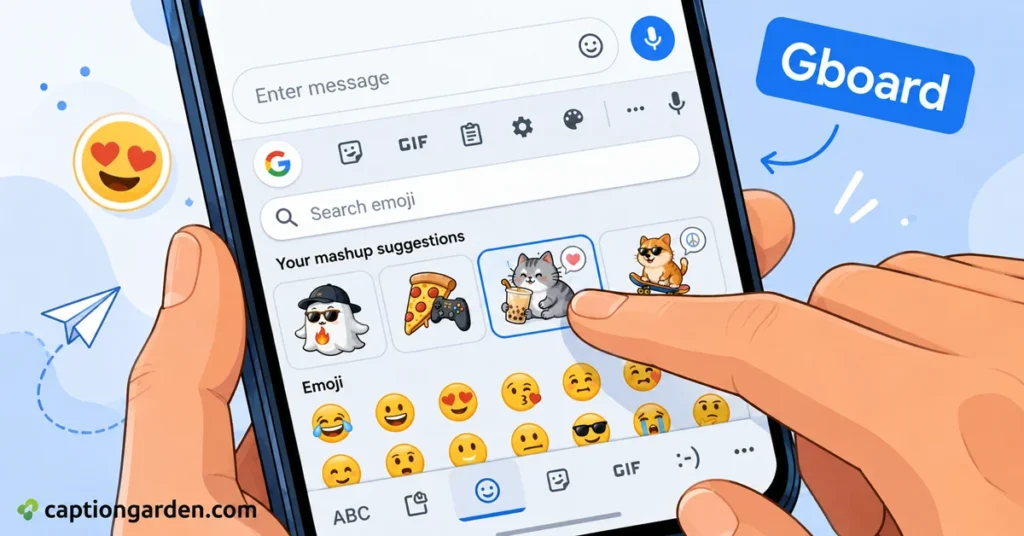
If you already have Gboard set as your keyboard on Android, combining emojis takes seconds. Open any messaging app such as Google Messages, WhatsApp, or Instagram DMs, then tap the emoji icon on your keyboard. Tap on any emoji you like, and Gboard will show a row of mashup suggestions built around that emoji. Tap the one you want, and it sends straight away.
If Gboard is not your default keyboard yet, download it from the Play Store, then head to your phone settings, open Languages and Input, select Virtual Keyboard, and set Gboard as default.
iPhone does not support the Gboard version of this feature, but the Google Search method below works exactly the same way and takes just as little time.
How to Combine Emojis Through Google Search
This is the easiest way to use Emoji Kitchen if you own an iPhone, use a desktop, or simply do not want to install a new keyboard app.
Go to Google.com and search for “emoji kitchen.” Click the “Get cooking” button in the interactive panel at the top of the results. Select your first emoji, then select a second one to combine emojis into a single sticker. The new mashup appears next to an equals sign. Tap or click the copy icon to save it, then paste it into any app that accepts images, including Instagram, WhatsApp, or Notes.
If a combination does not show a result, that specific pairing does not have a hand-drawn design yet. Not every emoji works with every other emoji.
Best Emoji Kitchen Combos to Try
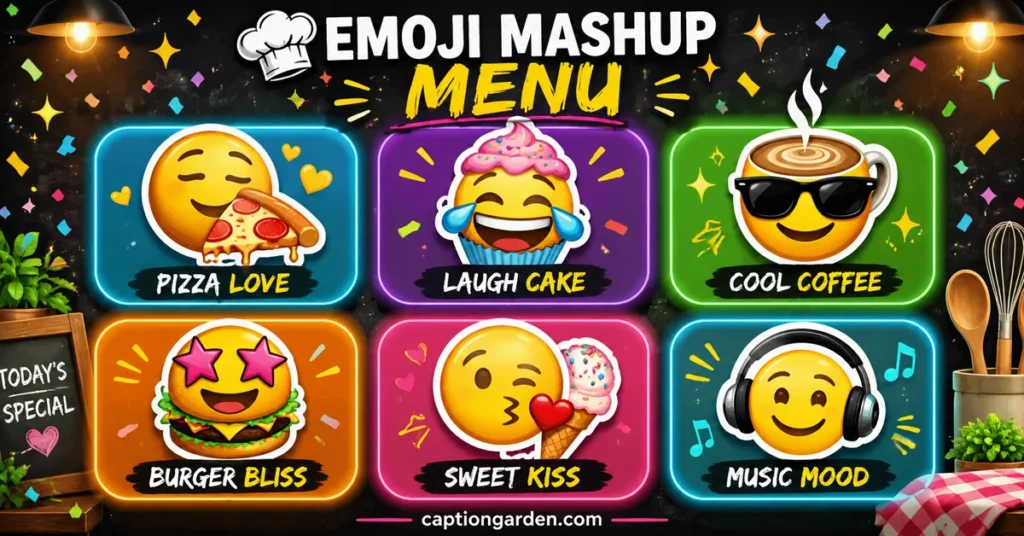
Some combinations have become genuinely popular because of how well they capture a mood. Here are a few emoji kitchen ideas worth trying based on the vibe you want.
For playful and funny moods, try 🤡 with 💩, or 😂 with 😍.
For love and warmth, try 🥹 with 💖, or 🐻 with 🥰.
For confidence and bold energy, try 😎 with 🔥, or 👑 with 🐼.
For relaxed and cozy moods, try 😴 with ☁️, or ☕ with 🌸.
For celebration posts, try 🥳 with 🎊, or 🦄 with 🎆.
You can also combine any emoji with a colored heart to shift its tone, or pair two animal emojis for a genuinely cute result. Scroll back up to the tool to try any of these combos yourself.
Emoji Kitchen for Instagram Captions and Stories
Emoji Kitchen stickers are not just for text messages. They work great on Instagram too. You can paste a mashup sticker straight into your Story as a sticker overlay, use it as a reaction on a friend’s post, or drop it right after your caption for extra personality.
A single Emoji Kitchen sticker can replace a whole sentence of explanation. Instead of writing a long caption to explain your mood, one well-picked mashup does the job in a glance. This works especially well for reels, birthday posts, travel photos, and couple posts if you want your caption to feel current and personal.
Why Emoji Kitchen Is So Popular
The feature succeeds because it feels personal without any real effort. You are not designing anything yourself. You just pick two emojis, and Gboard or Google Search hands you a polished sticker in under a second. It also keeps growing, so returning users always find something new to try.
Content creators, casual texters, and brands all lean on it for the same reason. It adds humor and warmth to a conversation faster than typing out a reaction ever could.
Explore More Emoji Meanings 🌸
Once you have your favorite mashups picked out, these emoji guides help you use them the right way in your next caption.






FAQs ❓
What is Emoji Kitchen?
Emoji Kitchen is a free Google feature that combines two emojis into one new sticker. It is also known as an emoji mixer or emoji combiner.
Is Emoji Kitchen free to use?
Yes. Emoji Kitchen is completely free, both inside Gboard and through Google Search.
Does Emoji Kitchen work on iPhone?
Yes, through Google Search. The Gboard app version is limited to Android, but the Google.com search version works on any device, including iPhone.
How do I combine emojis into one image?
Search “emoji kitchen” on Google, tap “Get cooking,” then select two emojis. The combined sticker appears instantly and can be copied or downloaded. You can also use the tool at the top of this page for the same result without leaving this site.
Why does my emoji combination show no result?
Not every emoji pair has a designed mashup yet. Google adds new combinations regularly, so a pairing that fails today may work in a future update. Flag emojis are not supported at all.
How many Emoji Kitchen combinations are there?
Google has confirmed more than 100,000 possible combinations, and the library keeps expanding.
Conclusion
Emoji Kitchen turns two ordinary emojis into one sticker that says far more than either one alone. If you have Gboard on Android, the feature sits right inside your keyboard. If you use an iPhone, Google Search gives you the exact same tool in your browser, and the emoji maker at the top of this page lets you skip both and browse combos directly. Once you start mixing combos, plain single emojis start to feel a little flat.

Hi, I’m Stella Cherry. I write about Instagram captions, social media trends, and digital lifestyle topics for CaptionGarden.com. My goal is to help readers find creative, relatable, and ready-to-use captions for every occasion. Whether it’s a selfie, travel photo, friendship post, or trending Instagram update, I love creating content that inspires and connects with modern social media users.